


Month: July 2021
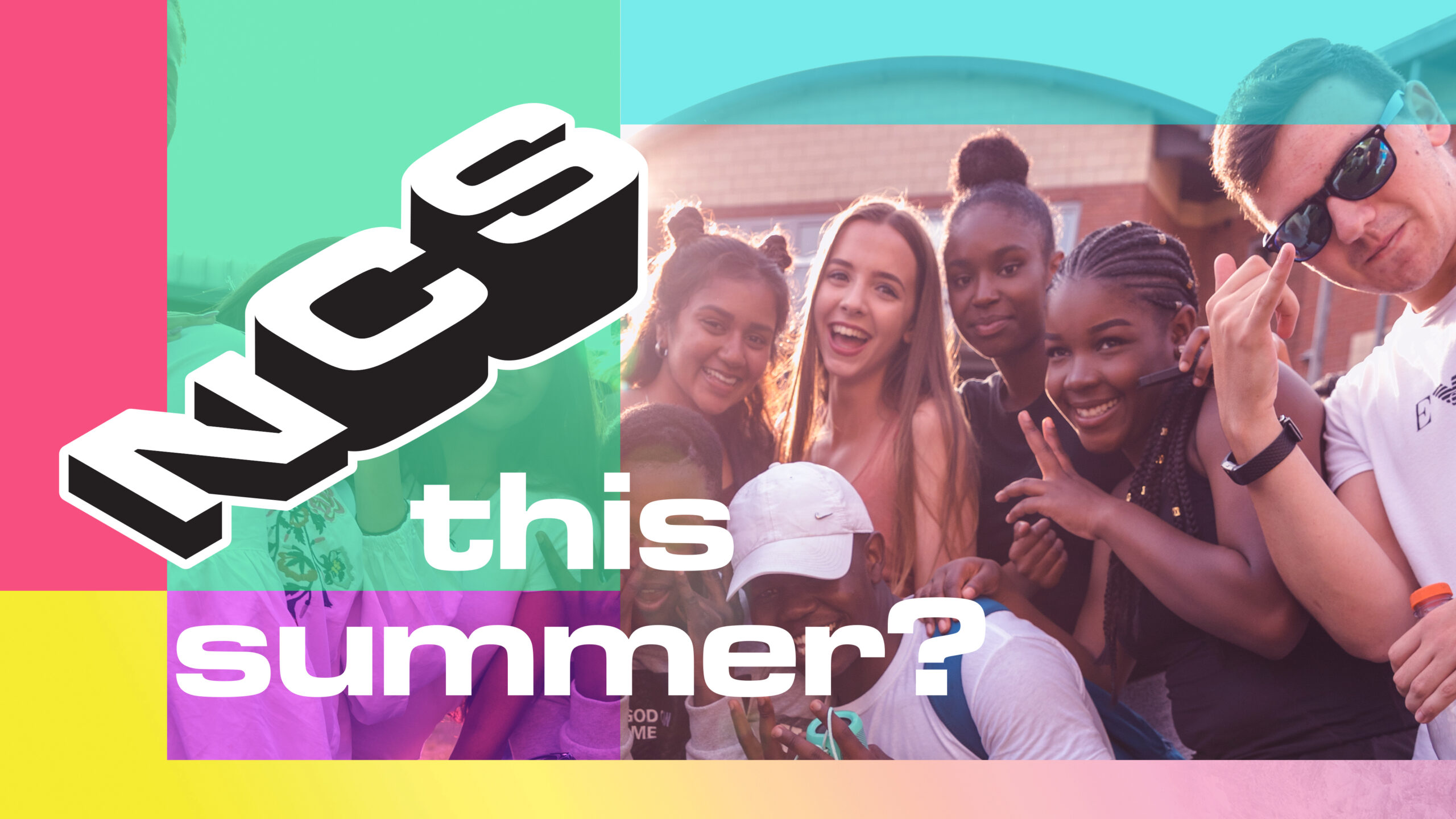
Stuff to do this Summer
23 Jul 2021

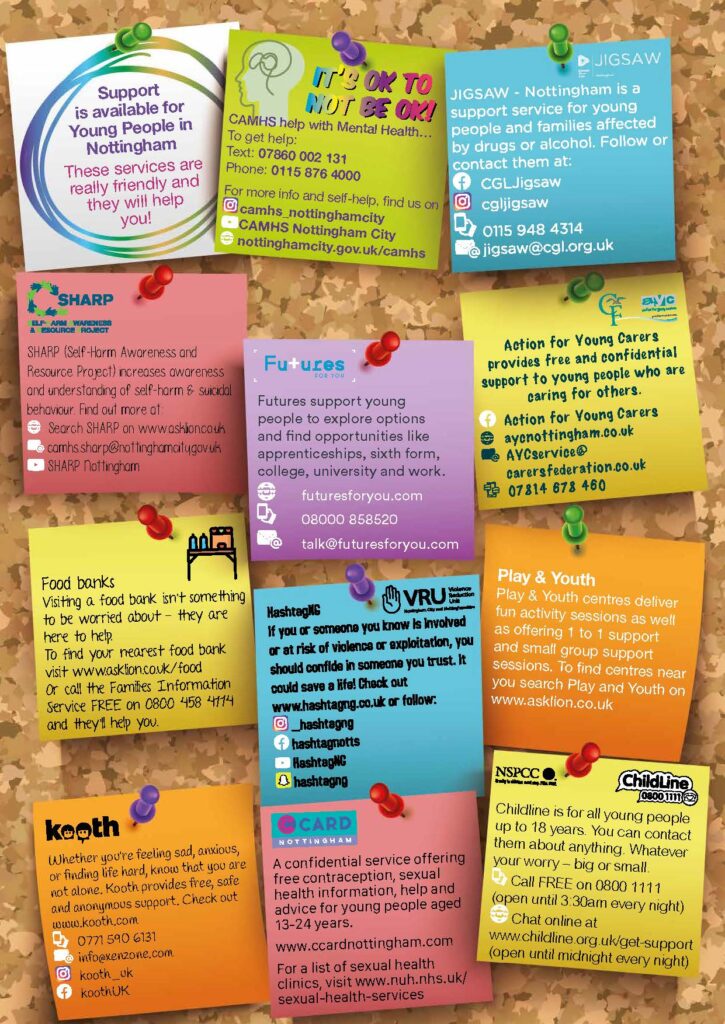
Update on COVID arrangements including contact tracing
20 Jul 2021
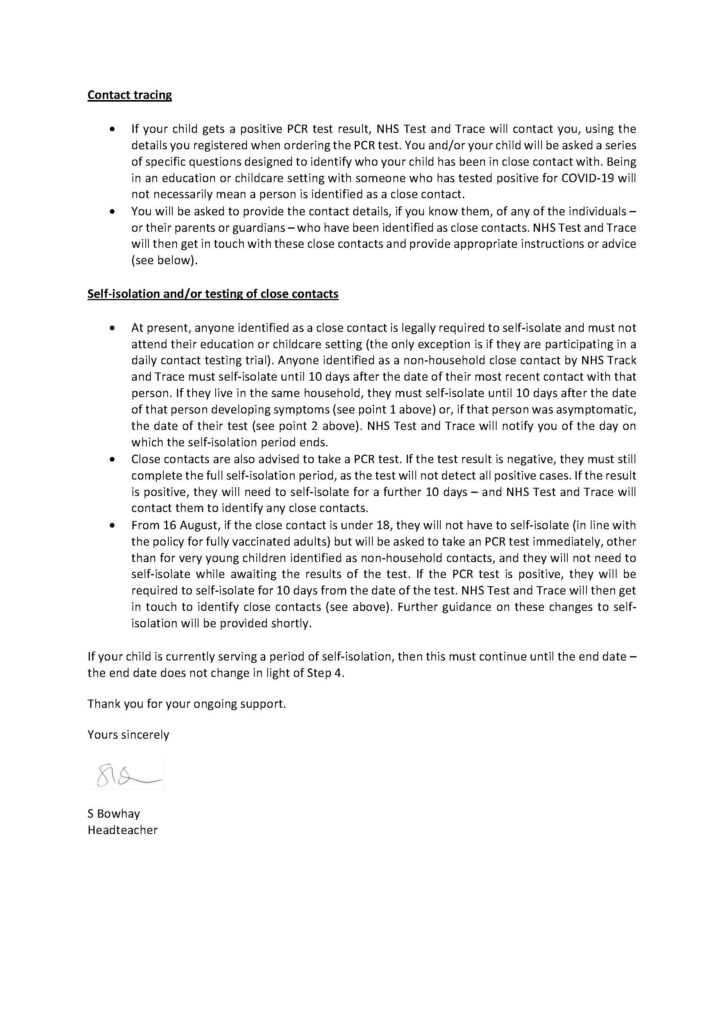
Free Fun and Food
20 Jul 2021


First Day Back Arrangements – Sept 2021
20 Jul 2021
Dear Parent
You will have hopefully by now have heard the good news that, with the lifting of all remaining Covid restrictions, schools will no longer be expected to maintain year-group bubbles. This means that from September we will be able to revert to our normal school day for all students (8.45 am to 3.05 pm) and allow the year groups to mix at break, lunchtime and in their vertical tutor-groups.
However, the first day back after the summer term is always slightly different with a slightly later start for some year groups so please check the arrangements below carefully.
In addition, on the reverse of this letter is a reminder of the school’s uniform guidelines for the coming year.
For the time being, thank you all for your fantastic support in what has obviously been a challenging year and all the best for a pleasant and enjoyable summer.
Yours sincerely
Mr S Bowhay
Headteacher
Arrangements for the first day of the new academic year for students:
Thursday 2 September 2021
As usual, we will have a staggered start for different year groups on the first day back to provide a smooth and organised first morning in school for all students. The start times and locations will be as follows:
Year 7: Arrive at 8.45am and go directly to the Main Hall
Year 11: Arrive at 8.45am and go directly to Tutor Rooms
Years 8, 9, 10: Arrive at 9.45am and go directly to Tutor Rooms
Uniform Expectations
All students at Park Vale Academy, from Year 7 to Year 11, wear uniform. The wearing of a uniform makes an important contribution to the tone and reputation of the academy. We like students to come here looking smart and business-like and ready to work. Wearing a uniform also solves the problem of what to wear!
Official skirts, trousers, ties, blazers, school badges and colours are available from Just Schoolwear or Schoolwear Solutions. Just Schoolwear can be found at 289 Main Street, Bulwell, Nottingham NG6 8ED. Their contact number is 0115 9652869. Items can also be ordered online from www.just–schoolwear.co.uk. Schoolwear Solutions are based at Morleys, 116-118 Bramcote Avenue, Chilwell, Nottingham, NG9 4DR. Their contact number is 01159 258046.
All other uniform items should be plain with no logos or decoration.
Daily Uniform
| Blazer: | Navy school blazer with school logo and House colour pin badge. |
| Trousers: | Official school trousers branded with the school logo. |
| Skirt: | Official school skirt branded with the school logo. |
| Shirt: | Plain white with a collar and top button appropriate for use with a school tie. Soft collared sports shirts are not acceptable, i.e. polo shirts. No t-shirts are to be worn. There should be no badges or motifs on shirts. Shirts must be tucked in at all times. |
| School Tie: | All students in Years 7 to 11 are required to wear a clip-on school tie. School ties need to be in immaculate condition. If your son/daughter’s tie has threads pulled or ink marks on it then this will need to be replaced in time for the start of the new term. |
| Jumper: | Only the official school jumper/cardigan may be worn (grey, with the school logo). The school jumper is an optional uniform item but advisable during the colder months of the year. |
| Socks/Tights: | Plain black. |
| Shoes: | Plain black shoes. The wearing of fashion shoes, particularly those without backs or with high/stiletto heels is not permitted. Boots, canvas-style pumps, trainers or trainer-like shoes should not be worn. |
| School Coat: | Students should wear plain water-resistant coats or jackets. Hoodies, tracksuit tops, bomber jackets or sports coats with large logos are not allowed. Fashion coats such as leather/denim jackets or body-warmers are also not permitted. |
| Jewellery: | Jewellery can be a safety hazard; it gets lost easily. Students may wear one pair of small studs in the lower earlobe and a single small nose-stud only. Any other visible piercing is not permitted. Students are also not allowed to wear rings, bracelets or necklaces in school. |
| Hairstyles: | We expect hair styles to be neat and tidy and not extreme in any way. This includes tramlines, shaved images, brightly-coloured decoration/ braiding or the use of unnatural shades of hair dye. In the interest of student safety, long hair must be tied back in PE lessons. |
| Headwear: Make-Up/ | Headwear of any kind is banned inside the school buildings except that which is worn for religious reasons and which be plain black. Students are free to wear appropriate head-coverings outside during inclement weather. Baseball caps are banned entirely on school premises. |
| Nail Varnish: | Make-Up, false nails and nail varnish are not allowed. |
If you are unclear regarding any of these expectations, please contact your child’s Head of House for further information.
COVID Testing – Return to School Sept 2021
20 Jul 2021
19 July 2021
Dear Parent
COVID Testing – Autumn Term 2021/2022
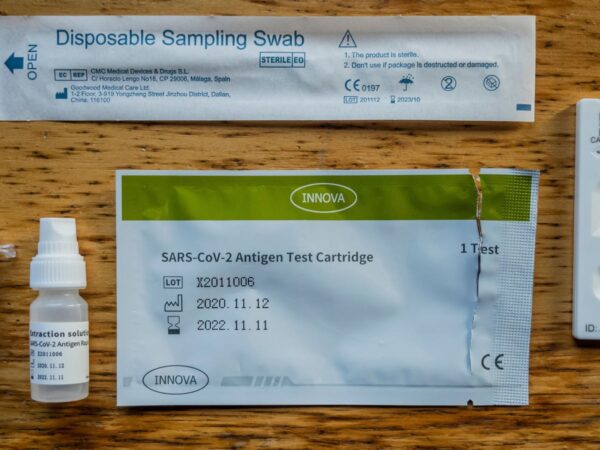
You will be aware that we have been asked by Government to provide supervised Lateral Flow testing for students before they return to school in September – in a similar way to our return from lockdown in March.
As before, testing is voluntary, but strongly recommended by both the Government and the school, as it gives us the best chance of maintaining uninterrupted education for all the students in as safe an environment as possible. Students who have not consented to testing will return to school at the same time as their year group.
Following on from two tests administered in school during the first two weeks, students will then be offered home testing kits. If you are happy for your child to be tested, please fill in and submit the consent and registration form, found at the link below (one for each student you wish to register and consent for). The consent form includes information that is used by the NHS Track and Trace system. By submitting the form, you are agreeing to the attached terms and conditions.
DO NOT complete this form if you do not wish your child to be tested. If you consent and then decide to withdraw consent your child MUST inform us of this when they are called for testing as there will be no administrative staff available to remove consent from this form as they will be delivering the testing provision.
Please note, we are planning to undertake the first round of tests on the two days prior to the start of term: Tuesday 31 August (Years 9, 10 and 11) and Wednesday 1 September (Years 7, 8 and 9). If your child would not be able to attend these dates, please do not consent and if you wish to test please continue to do so at home. The second test will be completed during the normal school day on either Friday 3rd September or Monday 6th September.
If you DO wish for your child to be tested and would be able to do so on the above dates then please complete the form no later than 6pm on Monday 26 July 2021 after which the form will be closed. Once we have returns we will schedule the testing and let you know before the start of the autumn term when your child will have their appointment for their first test.
Thank you for your ongoing support.
Yours sincerely
Mr S Bowhay

Year 10 Parents’ Evening Thursday 22th July 3.45pm – 6.45pm
15 Jul 2021
Use the link to access the online parent evening booking system. The evening will be via a video conferencing software called School Cloud that works on any device with an internet access.
Parent Guide to Remote Appointments
Please use the link below to login and book appointments with your child’s teachers.
https://parkvaleacademy.parentseveningsystem.co.uk/
Video Appointments: Parents – How to attend appointments over video call
This video shows you how to log in to book, and later attend, video appointments at your school’s Parents Evening. Underneath the video is a help article with written information to the same effect including how to invite another parent/guardian to join your appointments.https://player.vimeo.com/video/473882995
Video Parents Evening Demonstration from SchoolCloud on Vimeo.
In order to make video calls you need to have as a minimum:
- a device with a microphone and speaker/headphones
- a compatible up-to-date web browser:
iPhone/iPad: Safari Note: there is a known issue joining video calls using iOS 14.2. Please upgrade any iOS 14.2 devices to iOS 14.3, or use an alternate device.
Android: Chrome or Firefox
Windows: Chrome, Firefox or Microsoft Edge (Chromium – download here)
Mac: Safari, Chrome or Firefox
Linux: Chrome or Firefox
We also recommend:
- Using your smartphone for video appointments. If you don’t have a smartphone with a front-facing camera, use a laptop or computer with a webcam.
- Using a headset (or earphones with a microphone) to reduce echo.
How to attend your appointments via video call
1. Log in and go to the Evening
On the day of the video appointments (or before, if you want to test your camera and microphone) login to Parents Evening at the usual web address for your school, or click the login link from the bottom of the email confirmation you will have received.
Once logged in you will see a notice that you have upcoming video appointments and under this the details of the event, along with a Join Video Appointments button.
Press the button to join your appointment on the day – or to test your camera/microphone at any time.

2. Check Audio and Video
When you click Join Video Appointments the Check Audio and Video screen will be displayed. You may at this point be asked if you wish to allow access to your camera/microphone, in which case please click yes.
From here you can turn on or off your microphone and camera, change which devices are being used for the call, and check your microphone and speakers. Once you are happy, click Proceed to Video Call.
2. The Video Call
On this screen you can see the following, when in a call:
- At the top left the teacher name (and subject details) for the current and next appointment
- At the top right a countdown to the start of the appointment.
- At the bottom the controls for the microphone and camera.
 When another person is available these also show a pick up button to start the call
  and a hang up button to leave the call.
- In the middle, when your appointment is due to start, the Start Appointment button.

3. Making a call
Click the Start Appointment button. You will see yourself in the bottom right corner of the screen (unless you have no camera, or have chosen to turn it off). If the teacher has not yet joined you will see a notice to that effect in the centre of the screen.

When a teacher joins a call you will see them in the main part of the screen – or hear them, if they have no camera (or have turned it off) – and can start your discussion with them.
You will also see the remaining time for the appointment counting down in a blue bar at the top of the screen, which will turn red when the last 10 seconds begin.
If anyone loses access to the system for some reason during the call, they can log in again and click Start Appointment on the video call screen. As long as the other person is still in the call this will let you continue with the appointment.
When the countdown in the blue bar stops the appointment time is over and the call will automatically end.Note that if you or the teacher are late, or leave and rejoin the call, it does not reset the timer.
The appointment will always end at the scheduled time.
4. Follow on calls
If you have a consecutive appointment scheduled the screen will display a Start Next Appointment button. When you are ready to proceed, click on itNote that if you delay starting a call it does not extend the duration for that appointment.
The appointment will always end at the scheduled times.
If you do not have a consecutive appointment, but you have not completed your final scheduled appointment you will see a countdown telling you how long until the start of your next appointment.
Once your final appointment for the evening is complete you will see a message advising you of this.

Inviting another parent/guardian to join your appointments
You can give one other parent/guardian access to join your video appointments in respect of each student linked to you that is involved in the conference. You can grant this access at the time of booking, or later if required.
1. Once you have made your bookings (or when you later log in and go to My Bookings) click on the Invite Parent/Guardian link at the top of the list of your bookings. If you have already sent an invitation this link will show as Manage Invites instead.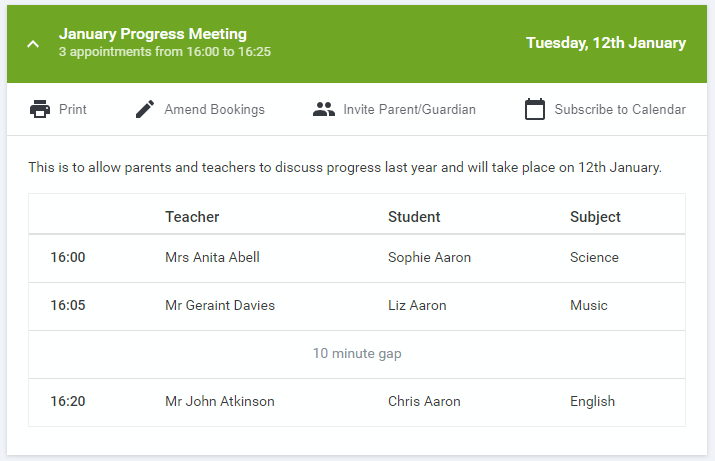
2. You will then be presented with a box asking for the details of the parent/guardian to be given access.
If there is more than one student linked to you and involved in the evening they will all be shown.
 You must enter a Name, and an Email address, as well as tick the box to consent to that person being given access to the information used to make the appointments.
If there is more than one student linked to you, choose the student(s) in respect of whose appointments the access to this person will be granted.
When you click the blue Send Invite button an email is sent to the address entered, giving them a link and details on how to join the call.
Please note that ONLY that one invited guest should use this link. Anyone else using it (including the parent that sent the invite, who should be logging via their own confirmation email) will knock the guest out of appointments.
Here is an example of what the invite email looks like:

3. You will then see a Manage invites box that shows your sent invitation(s), allows you to add another invite if you have any more available (the person invited can be different for each student, if wished), and allows you to Resend invites or Remove them.
 If you click Remove the link in the previously sent invitation will no longer work and that person can no longer join the video call.
Note that a call can have a maximum of 4 people in it at any one time. In cases where a school has assigned 3 teachers to take joint appointments for a class, a parent can still invite a guest, but once the number of participants in the call reaches 4 no further people can join it (unless one of them leaves).
Ofsted Parent View: Your Views Are Important
14 Jul 2021
| We have been contacted by OFSTED to inform us that they will be inspecting the school tomorrow and Friday. We would really appreciate it if as many parents as possible could respond to the survey as requested in their message below: Ofsted is inspecting your child’s school and we would like to know what you think about the school. Your views about the school are important to us. |
| If you are a registered parent or carer of a pupil at the school (including pupils on sick leave or who are temporarily excluded), you can tell us your views about the school by completing Ofsted’s online survey, Ofsted Parent View, at: www.parentview.ofsted.gov.uk. |
| Ofsted Parent View asks for your opinion on some aspects of your child’s school, including the progress made by your child, the quality of teaching, how the school deals with bullying and poor behaviour. It also provides a free-text box for you to make additional comments, if you wish. The inspectors will use the online survey responses when inspecting your child’s school. |
| To register your views, you will need to provide your email address, which will be held securely. It will not be used for any purpose other than providing access to the online survey. Neither schools nor Ofsted will have access to any email addresses. |
| Please complete the online survey as soon as possible, preferably by 11am on the day of the inspection, as this will give the inspection team more time to consider your views. |

Meet our Brilliant Club Graduates 2021
10 Jul 2021
Park Vale Academy are celebrating eight Year 9 students completing the prestigious Scholars Programme, run by award-winning charity, The Brilliant Club.
The Brilliant club is a charity that recruits, trains and places doctoral and post-doctoral researchers in non-selective state schools to deliver university style courses and tutorials based on their own area of expertise.
The Scholars Programme supports students from ages 8-18, with the aim of increasing the number of state school students progressing to a Russell group university. The programme encourages students to develop the skills, knowledge, and ambition to secure a place at a highly selective university and provides them with the confidence to excel in the next phase of their education.
Due to COVID-19 restrictions this year, The Scholars Programme was offered virtually to all applicants. Following the programme’s online launch event and tutorials with their PhD tutor Kinkini Chatterjee, the students wrote a mini version of a dissertation on the topic of co-working spaces: Are co-working spaces a product of Neoliberalism? After submitting their written essay, the students’ work was marked and they were given a university style grade such as a first or 2:1. The final part of the programme concludes with students receiving a certificate upon completion and attending a virtual graduation ceremony.
All our students who have graduated from The Scholars Programme have benefitted hugely from the experience and it has certainly helped them stand out in their university applications. The academy are particularly proud of this cohort for undertaking the programme so successfully whilst remote learning in lockdown and would like to thank The Brilliant Club for ensuring our students could still take part in this amazing opportunity.

PVA 2021 Prom 23rd July
10 Jul 2021
Update 16th June 2021: New Date for Prom.
Due to the government announcement this week we are unfortunately unable to hold the year 11 prom on Friday 25th June. We have however, been able to rearrange this special event to Friday 23rd July. The prom will still be held at the Hilton Doubletree from 7pm-11pm. If you have any further questions or concerns, please contact main reception for more information.
Update 14th June 2021: In the event that the national lockdown does not ease as expected on 21st June we have booked Friday 23rd July 2021 as a potential date for the year 11 prom should we need to move it. Should this happen, communication will be sent to all parents.
Currently we are waiting to see if the Government’s Roadmap for easing lockdown restrictions remains on course. The initial Roadmap stated no earlier that Monday 21st June 2021 that there would be no legal limits on social distancing[subject to review] and larger social gatherings would be possible.
Update 29th April 2021
Dear Parent,
As you are aware our Year 11 Prom is fast approaching. We have spoken with the venue and they have confirmed that, as it stands, the Prom will go ahead as planned. This however, is dependent on the next government announcement on Monday 17th May 2021. If the restrictions do not ease as expected we would look to rearrange the Prom to a later date. I know that the vast majority of our students are keen to attend this special event and join in the celebrations to mark the end of their five years at the academy.
The venue for the prom is as follows:
DoubleTree by Hilton Nottingham – Gateway
Nuthall Road
Nottingham
NG8 6AZ
The date for this year’s Prom is Friday 25th June 2021. Arrival will be 7:00pm, and the finish time will be 11:00pm. The total price for a ticket is £36.00, which includes the cost of entry to the venue, a 2-course meal, the night’s entertainment as well as a drink upon arrival.
To ensure our booking is secured for the venue and entertainment, it is essential that we receive all deposits in good time. If your child would like to attend, a non-refundable deposit of £20.00 is required by 19th May 2021 to secure their ticket. The remaining balance of £16.00 will then be due by the 9th June 2021.
Our preferred method of payment is through ParentPay which you can access via the Park Vale Academy website. We appreciate not all parents have access to a computer so we can now offer PayPoint barcode for cash payments, therefore you can use the barcode at the bottom of this letter at a local pay point. If using a pay point please be aware that this payment may take up to 48 hours to show on the account.
Please be aware that invitation to the Prom is subject to good attendance in Year 11 and participation in at least one after school revision session per week. If your child’s attendance falls below 95% or above they will not be able to come to the event.
If you have any questions or concerns, please don’t hesitate to contact us.
Yours sincerely,
S Lovett