



Month: February 2021

17 Chromebooks Donated by Arup Nottingham
25 Feb 2021
With schools once again closed due to the pandemic, it was evident that many students do not have access to a computer, laptop or data. The lack of access to digital technology for all students has exacerbated existing inequalities in households.
One of the more positive aspects of the Covid-19 pandemic is the way in which people are pulling together to support the wellbeing and education of young people at Park Vale Academy. The efforts of staff, parents and the wider community has been remarkable.
Park Vale were delighted to receive a delivery of 17 Chromebooks recently from architectural company Arup (Nottingham) who kindly donated the Chromebooks to help student access the technology required for their home learning.
Arup Nottingham’s generosity is helping to make a difference to our students as we continue to work hard to deliver a full and inspiring curriculum remotely until we can all return to school once and for all.
website: www.arup.com.

Year 8 Parents’ Evening [Virtual]- Weds 17th March 21
25 Feb 2021
Parent Guide to Remote Appointments
Please use the link below to login and book appointments with your child’s teachers.
https://parkvaleacademy.parentseveningsystem.co.uk/
Video Appointments: Parents – How to attend appointments over video call
This video shows you how to log in to book, and later attend, video appointments at your school’s Parents Evening. Underneath the video is a help article with written information to the same effect including how to invite another parent/guardian to join your appointments.https://player.vimeo.com/video/473882995
Video Parents Evening Demonstration from SchoolCloud on Vimeo.
In order to make video calls you need to have as a minimum:
- a device with a microphone and speaker/headphones
- a compatible up-to-date web browser:
iPhone/iPad: Safari Note: there is a known issue joining video calls using iOS 14.2. Please upgrade any iOS 14.2 devices to iOS 14.3, or use an alternate device.
Android: Chrome or Firefox
Windows: Chrome, Firefox or Microsoft Edge (Chromium – download here)
Mac: Safari, Chrome or Firefox
Linux: Chrome or Firefox
We also recommend:
- Using your smartphone for video appointments. If you don’t have a smartphone with a front-facing camera, use a laptop or computer with a webcam.
- Using a headset (or earphones with a microphone) to reduce echo.
How to attend your appointments via video call
1. Log in and go to the Evening
On the day of the video appointments (or before, if you want to test your camera and microphone) login to Parents Evening at the usual web address for your school, or click the login link from the bottom of the email confirmation you will have received.
Once logged in you will see a notice that you have upcoming video appointments and under this the details of the event, along with a Join Video Appointments button.
Press the button to join your appointment on the day – or to test your camera/microphone at any time.

2. Check Audio and Video
When you click Join Video Appointments the Check Audio and Video screen will be displayed. You may at this point be asked if you wish to allow access to your camera/microphone, in which case please click yes.
From here you can turn on or off your microphone and camera, change which devices are being used for the call, and check your microphone and speakers. Once you are happy, click Proceed to Video Call.
2. The Video Call
On this screen you can see the following, when in a call:
- At the top left the teacher name (and subject details) for the current and next appointment
- At the top right a countdown to the start of the appointment.
- At the bottom the controls for the microphone and camera.
 When another person is available these also show a pick up button to start the call
  and a hang up button to leave the call.
- In the middle, when your appointment is due to start, the Start Appointment button.

3. Making a call
Click the Start Appointment button. You will see yourself in the bottom right corner of the screen (unless you have no camera, or have chosen to turn it off). If the teacher has not yet joined you will see a notice to that effect in the centre of the screen.

When a teacher joins a call you will see them in the main part of the screen – or hear them, if they have no camera (or have turned it off) – and can start your discussion with them.
You will also see the remaining time for the appointment counting down in a blue bar at the top of the screen, which will turn red when the last 10 seconds begin.
If anyone loses access to the system for some reason during the call, they can log in again and click Start Appointment on the video call screen. As long as the other person is still in the call this will let you continue with the appointment.
When the countdown in the blue bar stops the appointment time is over and the call will automatically end.Note that if you or the teacher are late, or leave and rejoin the call, it does not reset the timer.
The appointment will always end at the scheduled time.
4. Follow on calls
If you have a consecutive appointment scheduled the screen will display a Start Next Appointment button. When you are ready to proceed, click on itNote that if you delay starting a call it does not extend the duration for that appointment.
The appointment will always end at the scheduled times.
If you do not have a consecutive appointment, but you have not completed your final scheduled appointment you will see a countdown telling you how long until the start of your next appointment.
Once your final appointment for the evening is complete you will see a message advising you of this.

Inviting another parent/guardian to join your appointments
You can give one other parent/guardian access to join your video appointments in respect of each student linked to you that is involved in the conference. You can grant this access at the time of booking, or later if required.
1. Once you have made your bookings (or when you later log in and go to My Bookings) click on the Invite Parent/Guardian link at the top of the list of your bookings. If you have already sent an invitation this link will show as Manage Invites instead.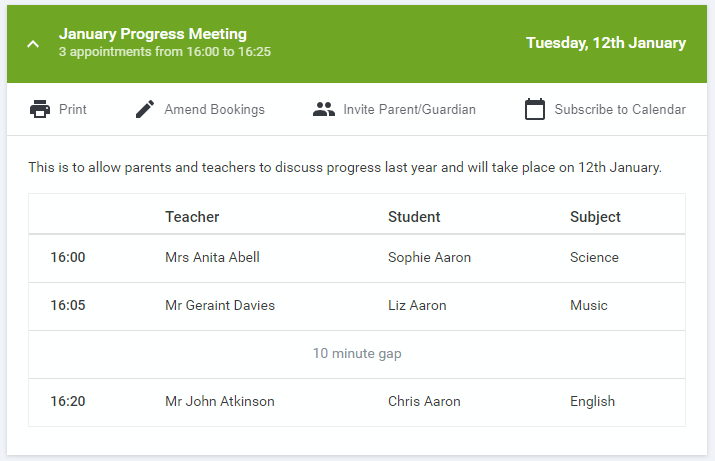
2. You will then be presented with a box asking for the details of the parent/guardian to be given access.
If there is more than one student linked to you and involved in the evening they will all be shown.
 You must enter a Name, and an Email address, as well as tick the box to consent to that person being given access to the information used to make the appointments.
If there is more than one student linked to you, choose the student(s) in respect of whose appointments the access to this person will be granted.
When you click the blue Send Invite button an email is sent to the address entered, giving them a link and details on how to join the call.
Please note that ONLY that one invited guest should use this link. Anyone else using it (including the parent that sent the invite, who should be logging via their own confirmation email) will knock the guest out of appointments.
Here is an example of what the invite email looks like:

3. You will then see a Manage invites box that shows your sent invitation(s), allows you to add another invite if you have any more available (the person invited can be different for each student, if wished), and allows you to Resend invites or Remove them.
 If you click Remove the link in the previously sent invitation will no longer work and that person can no longer join the video call.
Note that a call can have a maximum of 4 people in it at any one time. In cases where a school has assigned 3 teachers to take joint appointments for a class, a parent can still invite a guest, but once the number of participants in the call reaches 4 no further people can join it (unless one of them leaves).
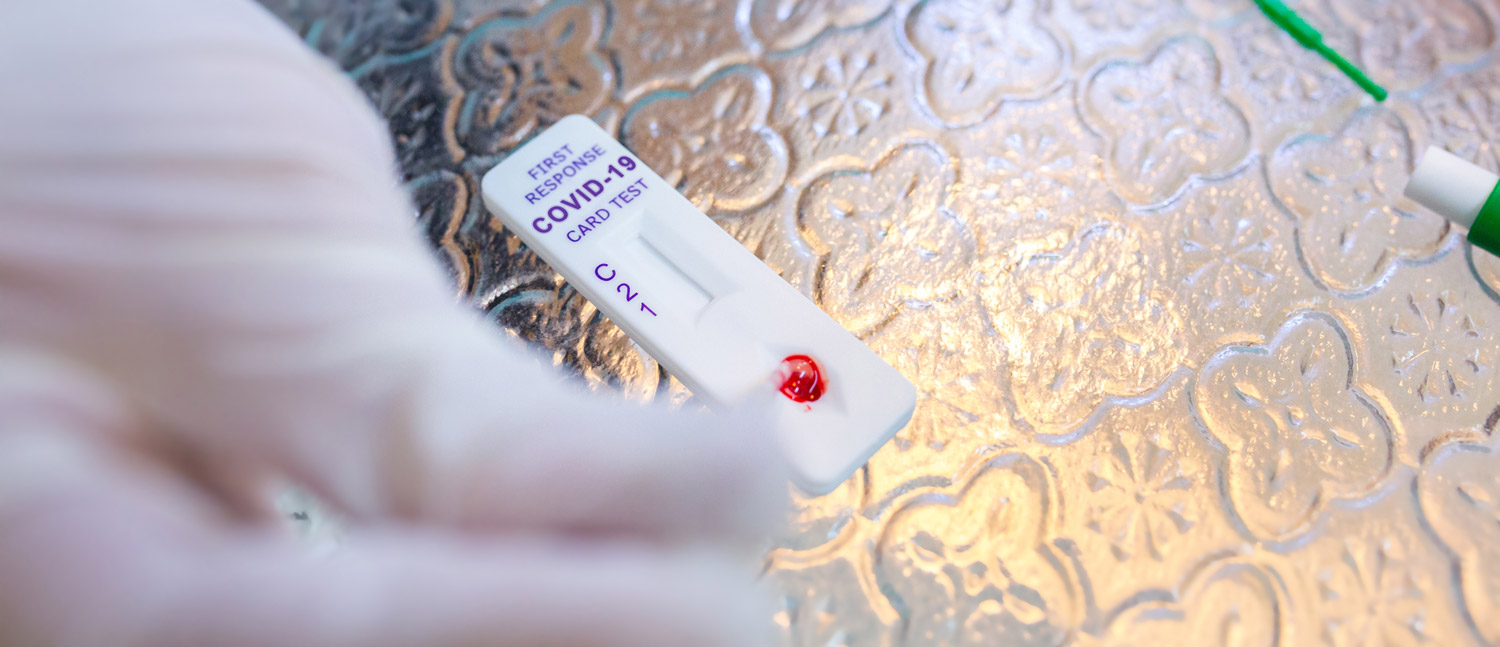
Covid Testing at Schools – Information & Consent Form
25 Feb 2021
USEFUL LINKS
The YouTube video tutorial
https://www.youtube.com/playlist?list=PLvaBZskxS7tzQYlVg7lwH5uxAD9UrSzGJ
The gov link for reporting
https://www.gov.uk/report-covid19-result
And the forms link to report to the school
https://forms.office.com/Pages/ResponsePage.aspx?id=svRAecJqukWVZVvTgdjPcJUSMKQnUudLrpR2ONgsgvJUM0VXUFdQREhBV0ZLV0pTUVdHWThPVE9EOS4u
Schools have been asked to test all students prior to any full re-opening of the academy after half-term. If so, it would be extremely helpful if parents could complete the necessary consent form now, so that we can plan the logistics of delivering all of the testing in school.
The deadline for consent has now passed, however late requests will be slotted in to the appointment schedule where available. Please complete the online form which can be accessed from the following link: https://forms.office.com/Pages/ResponsePage.aspx?id=svRAecJqukWVZVvTgdjPcIOWvG0q0CJGkGCz5_3YmIdUOU5aNlhBSU1UUDU3TkEzVDlFT1lFM01XQy4u
Home Testing for Covid-19 from 14th March onwards [ LETTER]
Covid-19 Testing at Home Privacy Statement
As part of the national initiative to use lateral flow device tests, we aim to help staff and students remain in school safely. Up to a third of those with COVID show no symptoms. The lateral flow testing plan will help to reduce the spread of the virus and it will enable us to have students in school more often. The test is voluntary but everyone is encouraged to take the test so that we can use it in the most effective way.
Following the recent government announcement the following people in England will have access to regular rapid lateral flow testing made available to them as schools reopen:
- secondary school pupils
- primary and secondary school staff
- households, childcare and support bubbles of primary and secondary-age pupils
- households, childcare and support bubbles of primary and secondary staff
Please see the website below for further information.
Questions you may have
What if my child tests positive on the lateral flow test?
- Parents/carers of students who test positive will be informed
- Students will need to take a further ‘PCR test’ (similar to those done in local and regional testing sites) on the same day (or as soon as possible). Parents will be required to arrange these.
- Until the PCR result is obtained, the student will need to self isolate.
- If the PCR test returns a positive result you will have to self-isolate and follow the guidance from NHS Test and Trace.
What if my child develops symptoms?
If your child develops symptoms, they should self isolate immediately and arrange a PCR test
How do you obtain a sample from my child?
The test uses a swab taken from your child’s throat and nostril.

What happens with my personal data?
Privacy Notice for managing the delivery of Covid-19 testing.that explains the Ownership of Personal Data.
If you have any further questions please do not hesitate to contact the academy.

National Careers Week 2021
23 Feb 2021
Virtual Work Experience
Virtual work experience placements and opportunities for March, check it out here .
The Parents’ Guide to Careers
The Parents’ Guide to Careers, a free guide outlining vocational options after GCSE and sixth form. It’s a really useful resource for parents giving them more information about their children’s non-academic routes to careers, check it out here.

Y8 Option Process 2021
16 Feb 2021
Click here to go to our Options page
Our Option Process has begun! Please check the website and your emails regularly for updates

Enrichment Activities – February 2021
13 Feb 2021
Inspire Museums, Art & Galleries
Royal Academy Young Artist Summer Show

National Apprenticeship Week 2021
9 Feb 2021
Access the recoding of the apprenticeship live event – available to students / parents, the link is here:
In addition to our normal career activities, this week we are championing the apprenticeship route into careers for young people, with a focus in tutor session on MS Teams for all students. Our careers advisor, Mr McArdle, offers guidance and advice sessions for Year 11, to ensure all students have a clear plan for their post 16 routes.
Apprenticeships offer an amazing opportunity for young people to gain qualifications and experience working with an employer and a local training provider. Students who have moved into apprenticeships since leaving Park Vale Academy have reported that they love being part of a team, and that learning whilst on the job has brought them incredible insight into the knowledge and skills required to be successful in their chosen careers.


Going the Extra Mile
4 Feb 2021
It would be really nice to be able to pass onto staff any positive feedback about the great job they are doing in these difficult circumstances. Please use the link to let us know your “Staff Star” or ask your child to nominate someone!

Do you need help with our IT systems, passwords, laptops etc?
4 Feb 2021
Students and parents can email itdesk@parkvaleacademy.org.uk for assistance with technical issues
Headteacher Letter – 10th February 2021
1 Feb 2021
Dear Parent
I hope that everything is well with you and your family. I also hope that your son or daughter is coping with the demands of remote-education and finding the increased number of live-lessons a more engaging way to learn in each of their subjects.
I would love to be able to tell you about possible plans for a return to school but at this stage – as I am sure you are aware – things still remain extremely uncertain. We have heard the Prime Minister say that he is aiming for the gradual re-opening of schools from March 8th onwards but that no firm commitment can be made until nearer the time. The key-speech which we all need to look out for will apparently take place on Monday 22nd February. That is when we will hopefully find out if, when and how schools will be allowed to re-open to all staff and students. If it does go ahead, it is likely to be a phased return with different year groups being allowed to return at different stages. Needless to say, I will write to you as soon as possible after the 22nd to let you know our plans at Park Vale.
In the meantime, I hope that you have been picking up the many texts, emails, tweets and messages on the academy website which we have been sending out. These have covered a wide range of initiatives and support from free laptops and GCSE exams to food parcels and WiFi vouchers.
In particular, the school website has recently been re-designed to make it easier to navigate so please take a look at what is on there if you haven’t done so recently at: Welcome to Park Vale Academy – Park Vale . As well as all the information you need to support our remote-learning provision, there are a wide range of resources on there to support your child’s physical, emotional and mental health.
As always, if you have any questions or technical issues with regards to any of the above, please contact us via telephone or email in the normal way.
Hopefully, with the vaccine roll-out well underway, we are not far off an end to the current lockdown and one that this time will last. We are all looking forward to seeing your children back in school as soon as possible.
All the best and take care
Mr S Bowhay
Headteacher